


Timestamps
00:00 What is the Latest Posts block
00:15 Create new newsletter template
00:25 Insert Latest Posts block
00:27 Display multiple posts
00:39 Sort by and number of posts
00:48 Filter options
01:25 Display options
01:54 Font size and border options
01:59 Colour options
02:17 Spacing options
02:22 Show/hide block
02:30 Display single post
02:57 Change featured image
03:08 Email test and preview
Random order for evergreen newsletters
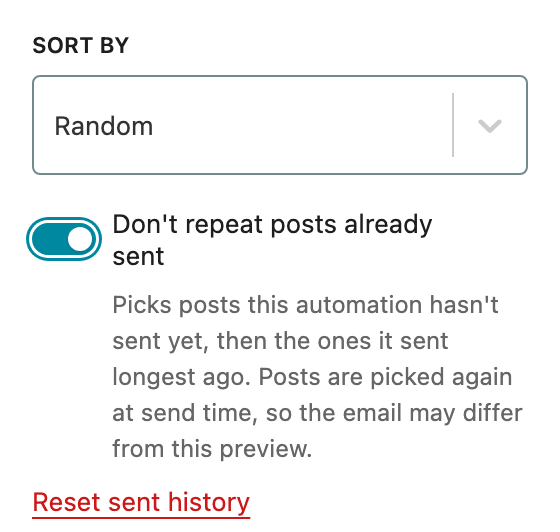
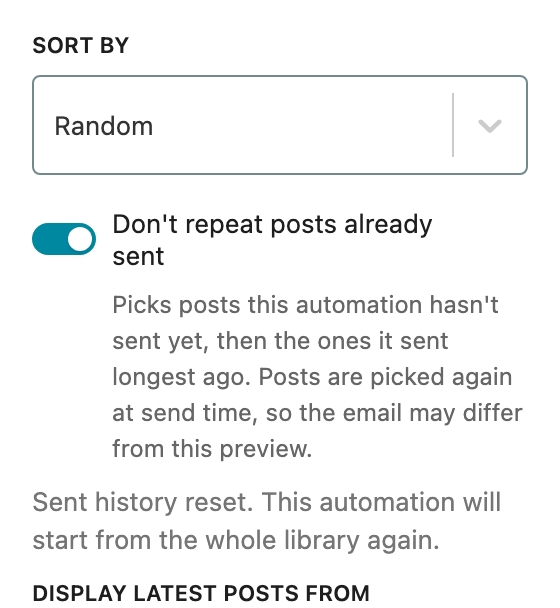
Want to resurface your archive instead of your newest posts? Under Sort by, choose Random. Then turn on Don't repeat posts already sent.
- The block picks posts it hasn’t sent yet first, then the ones it sent longest ago. It never runs out of posts.
- Each automation keeps its own history. Manual newsletters share one history between them.
- A post counts as sent only after a newsletter that includes it is actually sent.
- Posts are picked again when the newsletter is sent, so the email can differ from the editor preview.
- To start over, click Reset sent history. Other automations keep their own history.
Random order works with your own posts. It doesn’t apply to RSS feeds, events or posts you’ve picked by hand, and it ignores the Offset setting.
Offset and hidden posts
Since Newsletter Glue 4.3, Offset skips exactly the number of posts you set. Before, it skipped twice as many. And if a post is hidden from the block, the next eligible post takes its place, so the block still shows the number of posts you chose.